
AI MeetOne
Meetings and content on one screen
AI video conferencing solution.
Integrated management of meeting operation, screen sharing, recording history and content on one platform.
- underlying technology
- Real-time media based on WebRTC·SFU
- core strengths
- Integrated video conference and CMS content operation
- How it works
- Web, kiosk, and mobile multi-device support
From before the meeting to after it
it all flows in one place
Scheduling the meeting, choosing the layout, running it live, and keeping the record afterward all happen within the same screen.
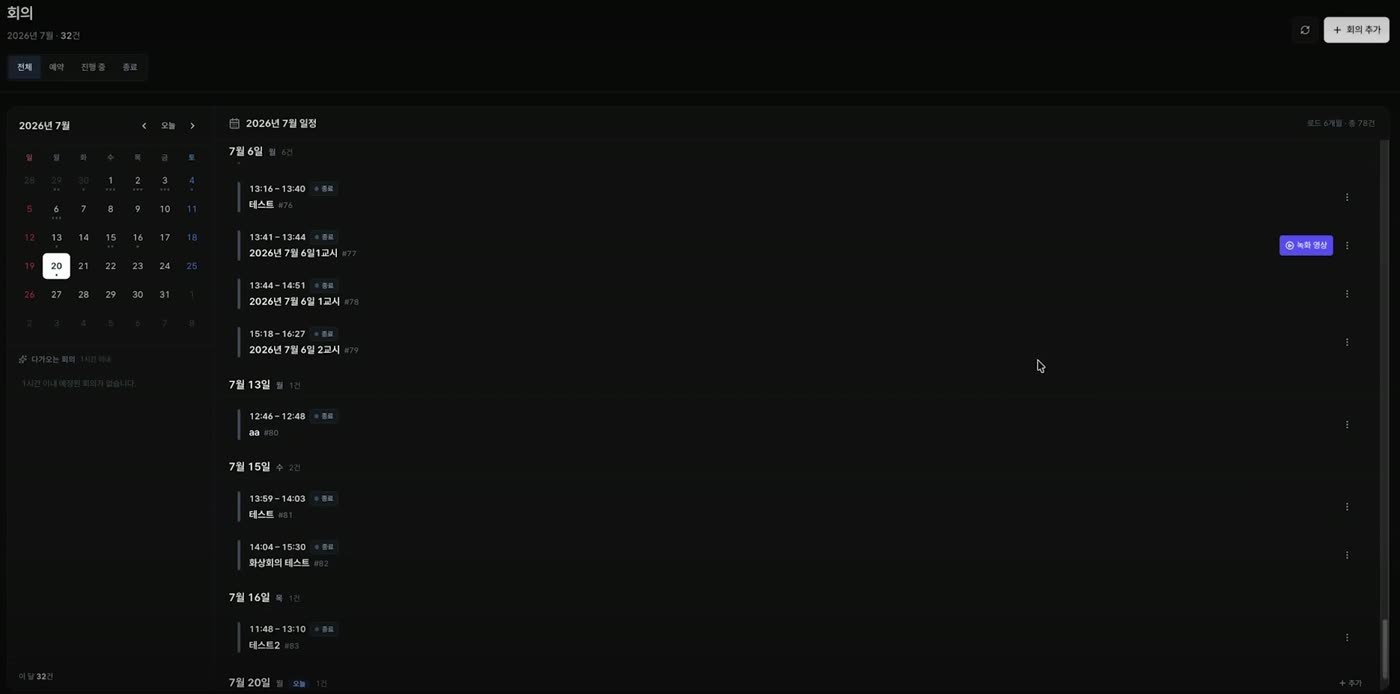
Meeting list
ScheduledIn progressEndedEndedEndedEndedEndedEndedMonthly schedule
Participants
ScheduledRecording
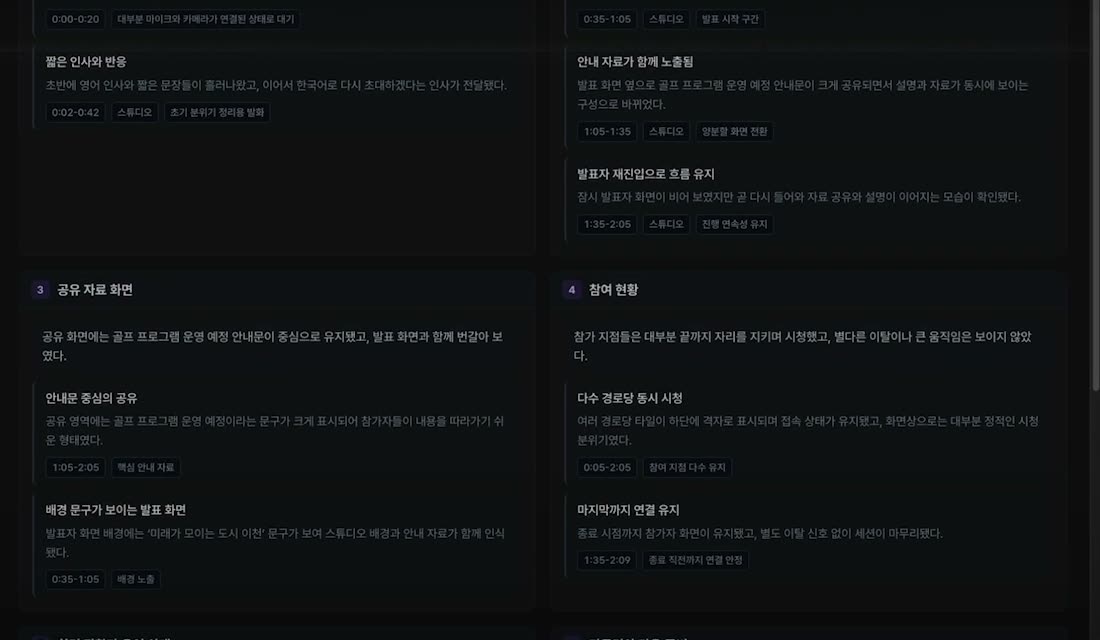
AI meeting summary
Segment records
Meeting results
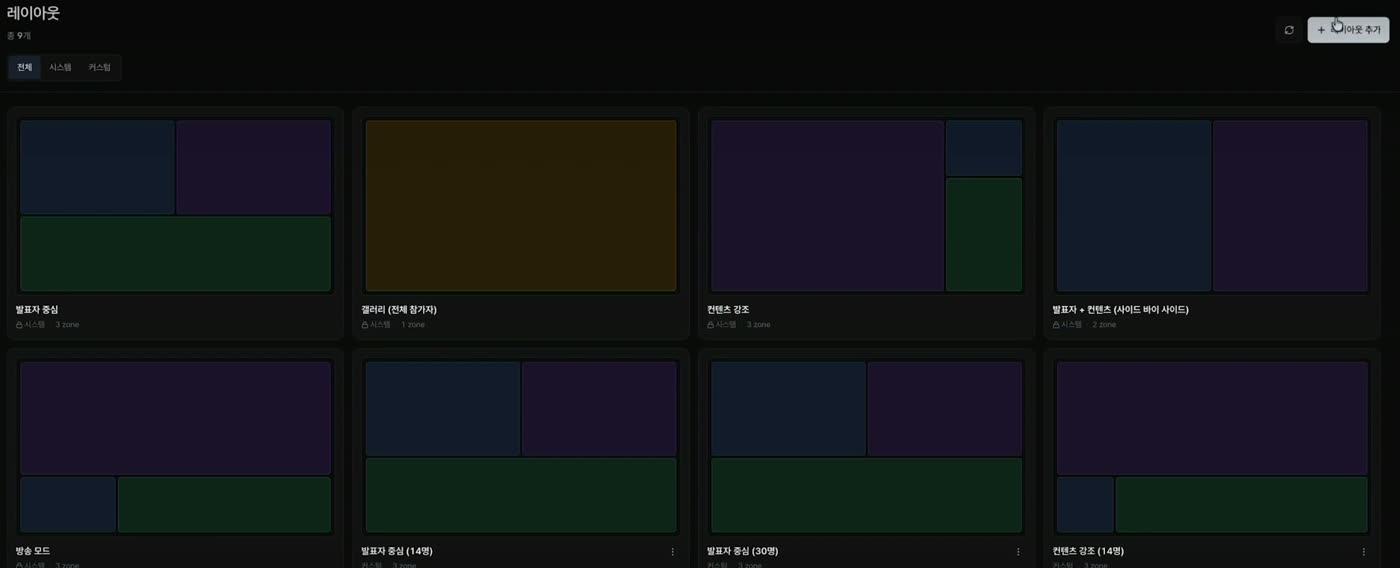
Shared screenParticipation statusRecordingMeeting listManage meetings as scheduled, in progress or ended, and review recordings of past meetings.Layout setupChoose the meeting screen layout — speaker focus, gallery, content focus, and more.Live meetingStudio video, shared content, and participating points run together within one layout.AI meeting summarySegment records such as shared screens and participation status are organized into cards.
Studios and participating branches
Capture it on one screen
Presentation videos, shared content, and multiple participation screens are displayed together in one layout.
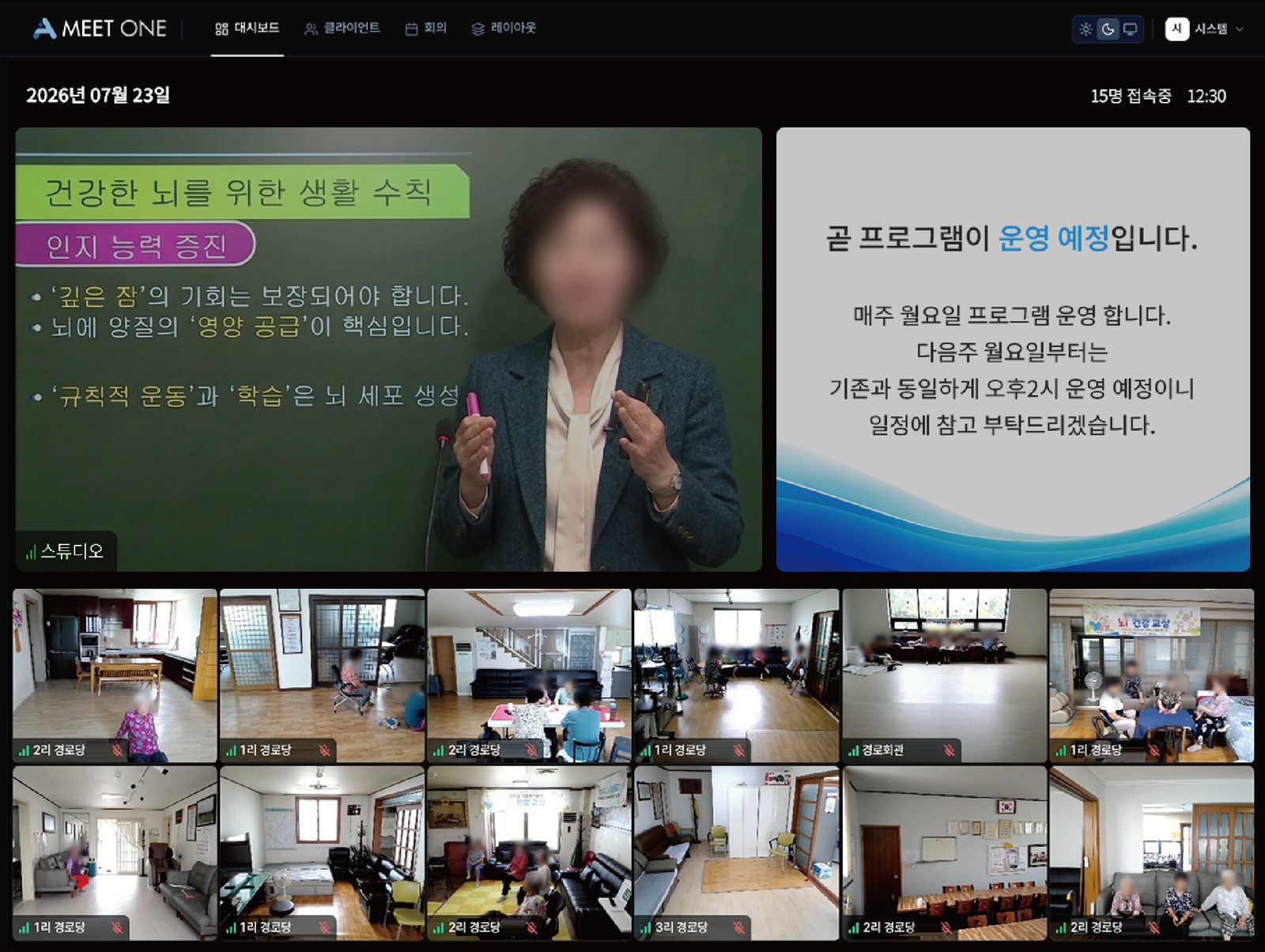 01studio video02shared content03Participating Branch04Connection status
The meeting status is
From the administrator screen
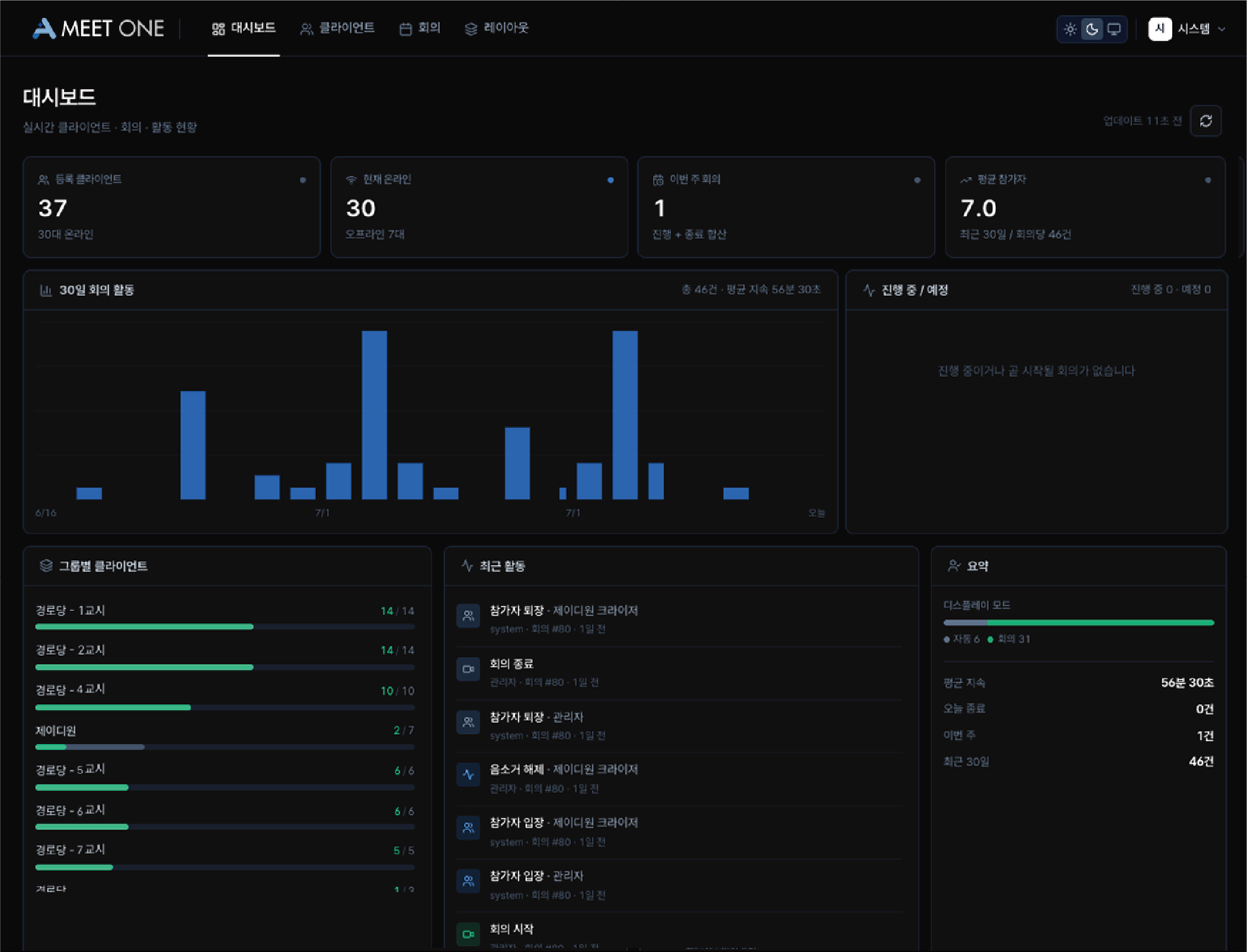
- Client status
- Check registered clients, online status, and connection status by group.
- Meeting activity history
- View meeting activities by period and ongoing and scheduled meetings on one screen.
- Recent activity log
- Events such as meeting start/end, participant entry/exit, etc. are accumulated in chronological order.
- Automatically generate reports
- Create a custom report draft for each institution based on events linked to AI Eyes One·AI City One.
Application field
- distance educationNon-face-to-face education that shares lecture videos, materials, and whiteboards
- remote consultationSupport civil complaints and welfare counseling by sharing counseling screens and information materials
- Public institution video conferenceStable operation of meetings between institutions and departments and integrated management of meeting history
- digital signageReal-time transmission of CMS-based guidance videos and information to multiple screens
meetings and content
It continues in one place
- Improve operational efficiency
- Integrated management of meetings and CMS in one environment
- Improve collaboration quality
- Strengthen information delivery by linking video conferencing and content
- Quick meeting joining
- Minimize complex installation and procedures through web-based access
- Visualization of operation status
- Check meeting, participant, and content status in real time
- Multi-device support
- Use the same service on the web, kiosk, and mobile
- Service expansion
- Expand into a collaborative environment for each institution by linking with external systems